Devlog · LivingPlanet
The build wheel
Published
Last time ended with a promise of a better way to choose what to build. This is it.
Until now, B opened a list. It worked while the list was short. There are eleven things on it now, some of them only after you have found them, and a list of eleven lines is something you read, not something you use.
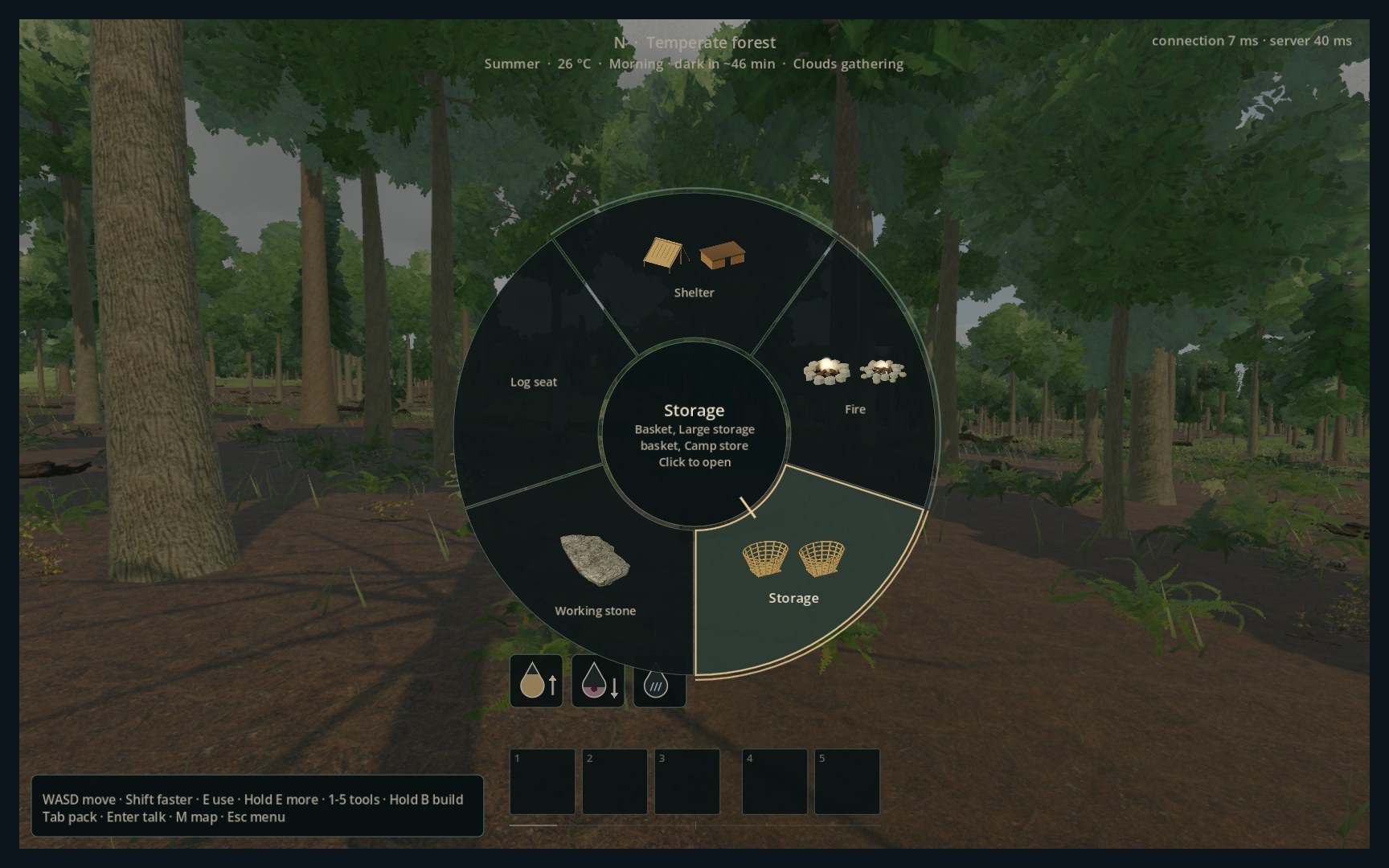
So the list is gone. Hold B and a ring opens round the middle of the screen. Each thing you can build has a wedge with its name, and its picture where it has one. Move the mouse towards the one you want and let go. Its see-through shape stands in front of you, and a click builds it, the same as before.
You do not have to reach a wedge. The direction is enough, so after a few goes your hand knows that the fire is up and the basket is up and to the right. Nothing on the ring moves when your pack changes. A thing you can't afford yet is dimmed and stays where it is, and the middle of the ring tells you what it costs, what you carry and what you are short of.
A new traveller knows eight things to build, and they fit on one ring. Your first find makes nine, and from then on the ring shows groups: Shelter, Fire and Storage, and later Places to work. Point at a group and click to open it, still holding B, then let go on the thing you want. The log seat fits none of the groups, so it sits on the ring by itself.
You can walk while the ring is open, and a quick tap of B reminds you to hold it.
This update also carries two small fixes to the pack screen from after the last one: a slot's name is written whole, and the line that tells you what just happened no longer lies across your hands' slots.
The picture is taken straight from the game.